
Sign Up Process for Dive RAID Courses
Our Step by Step Guide to signing up for your RAID Dive Course
Step 1:
Step 2:
- Click on Create your account Now! and fill in your information and Click on Register. Please Verify your email too.

Step 3:
- Upload your profile picture (Important!) and answer the online medical form for submission

Step 4:
- Update your Dive Centre to DiveRACE Liveaboards and Click Save.
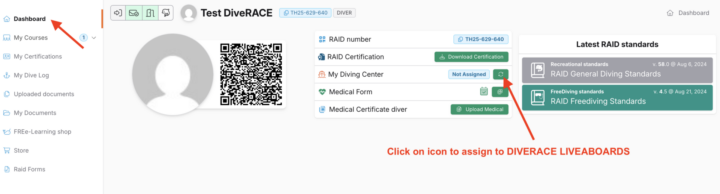
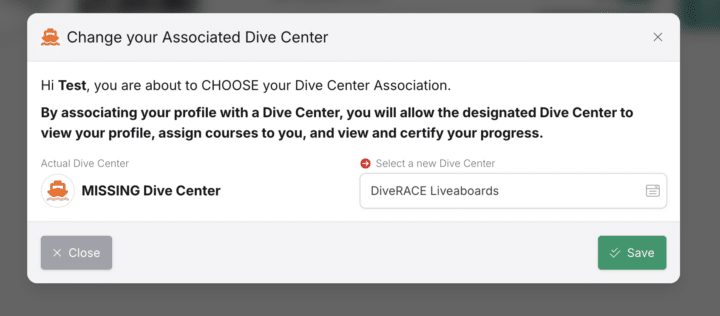
- Or click here: https://user.diveraid.com/en/register/1131
Step 5:
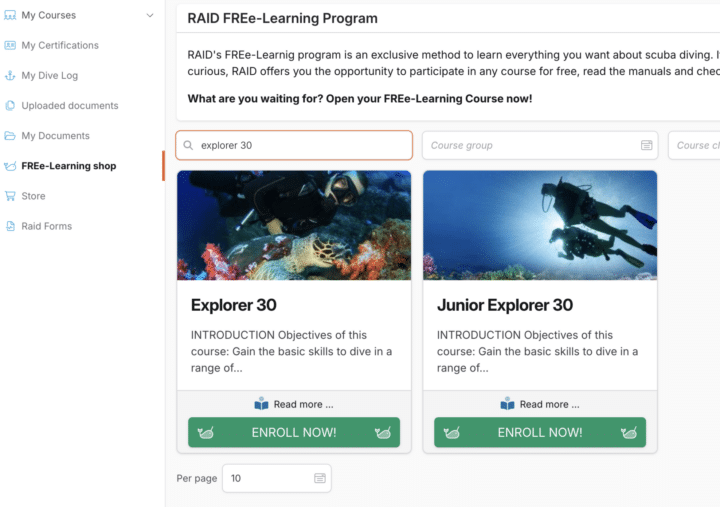
- Click on FRE-elearning shop on the left side column

Step 6:
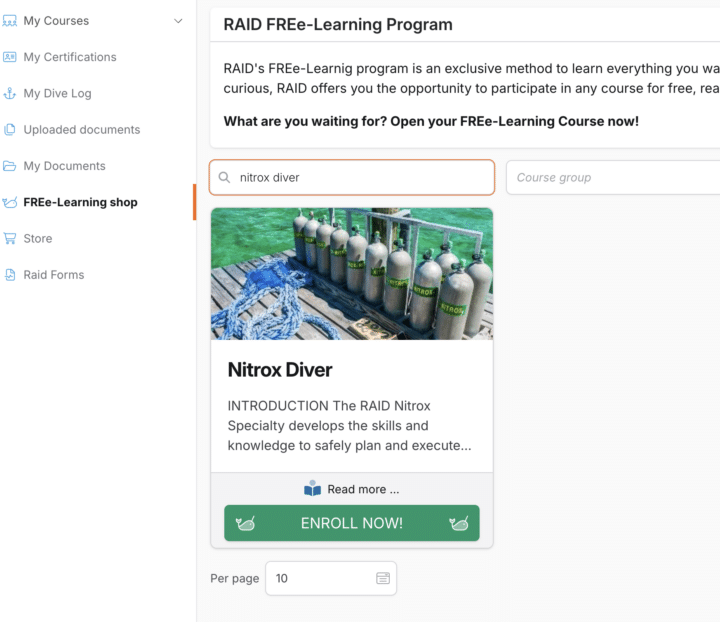
- Search to find your course (EXPLORER 30 and / or NITROX DIVER) and click Enroll Now!
Step 7:
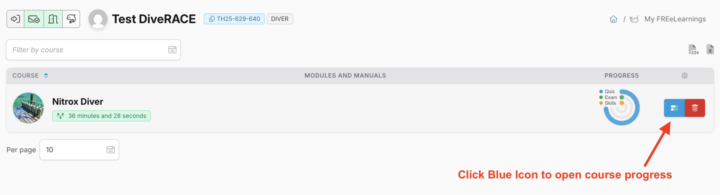
- Click on FREe-learning (left column), open up the course tab. Click on the blue icon to open the course progress.
Step 8:
- Download the Manual and read the course content.

Step 9:
- Take the Quiz when you are ready. Passing Grade is 80%. DiveRACE will make the exam available for you when you are done with the quiz. *Please DO NOT purchase the course online as credit will be given to you on board!
Step 10:
- Take the online exam on board our liveaboard in the presence of your instructor.
Please email us if you have any issues! We will be happy to assist.