
Almost every diver now learns to dive with a computer on their wrist. You check your depth, keep an eye on your NDL and wait for that familiar safety-stop countdown at the end of the dive.
If you dive with us in the Similan Islands on board MV DiveRACE Class X, you’ll notice our dive guides constantly checking and analysing their dive computers, and also asking you about yours.
But knowing how to use a dive computer and really understanding what it is telling you are two different things.
After thousands of dives, checking mine has become completely automatic. I’m not just checking how deep I am. I’m looking at how my entire dive profile is developing and whether I want to make any adjustments.
Your depth, bottom time, no-decompression limit, ascent rate and previous dives are all connected. Once you understand how they work together, the numbers on your dive computer start to mean much more.
And there is something else I think every diver should understand. However advanced your computer is, it is still calculating an estimate.
So, what is actually happening behind that screen, and which numbers should you really be paying attention to?
From Dive Tables to the Computer on Your Wrist
If you completed your dive training relatively recently, there’s a good chance you learned almost entirely with a dive computer. You may have covered dive tables during your course, but most of us aren’t sitting between dives calculating our next profile on a table anymore.

Before computers became standard equipment, that was exactly what divers did.
Traditional dive tables use depth and time to determine how long you can remain underwater without requiring planned decompression stops. They also allow you to account for residual nitrogen when planning repetitive dives.
The problem is that real dives rarely follow a perfect square profile. Take Richelieu Rock, for example. As a pinnacle in the open ocean, currents and conditions can change throughout the dive. Our dive guides on board MV DiveRACE Class X will generally plan the deepest part of the dive first, before gradually working their way around the rock into shallower water. You might spend some time around 25 metres, move up to 18 metres, and finish the dive much shallower.
However, the exact time spent at each depth can change once we are underwater. A change in current, marine life encounter or other unexpected factor might keep us at one depth for longer or shorter than planned.
A dive computer follows those changes with you.
Modern computers use decompression algorithms to model inert gas uptake and release throughout your actual dive profile. Rather than making one calculation before you enter the water, your computer continuously recalculates as you change depth.
For the kind of multi-level diving we do around the Similan Islands, that makes the information much more useful in real time.
What Is Your Dive Computer Actually Calculating?
Your computer knows how deep you are, how long you’ve been there and what previous dives it has recorded. From that information, its algorithm estimates how inert gas is being absorbed and released by theoretical tissue compartments in your body.
That calculation is behind much of what you see on the screen.
On most recreational dive computers, you’ll find:
- Current depth – where you are in the water column.
- Maximum depth – the deepest point you reached during the dive.
- Dive or bottom time – how long you have been underwater.
- NDL – your remaining no-decompression time at your current depth.
- Ascent rate – how quickly you’re moving towards the surface.
- Safety-stop information – usually your stop depth and a countdown.
- Surface interval – how long you’ve been out of the water.
- No-fly time – guidance following your final dives.
Most modern computers also support Enriched Air Nitrox, which changes the calculations according to the gas you’re breathing.
Depending on what you wear, your dive computer might do much more. Air integration, digital compasses, GPS, multiple gases and detailed dive logs are available on many models.
But no matter how advanced the computer becomes, these basic numbers are still what I rely on most.
The Three Numbers I Watch Throughout a Dive
During the main part of a dive, there are three numbers I naturally check most: depth, dive time and NDL.
But I don’t think about them separately; one gives context to the others.
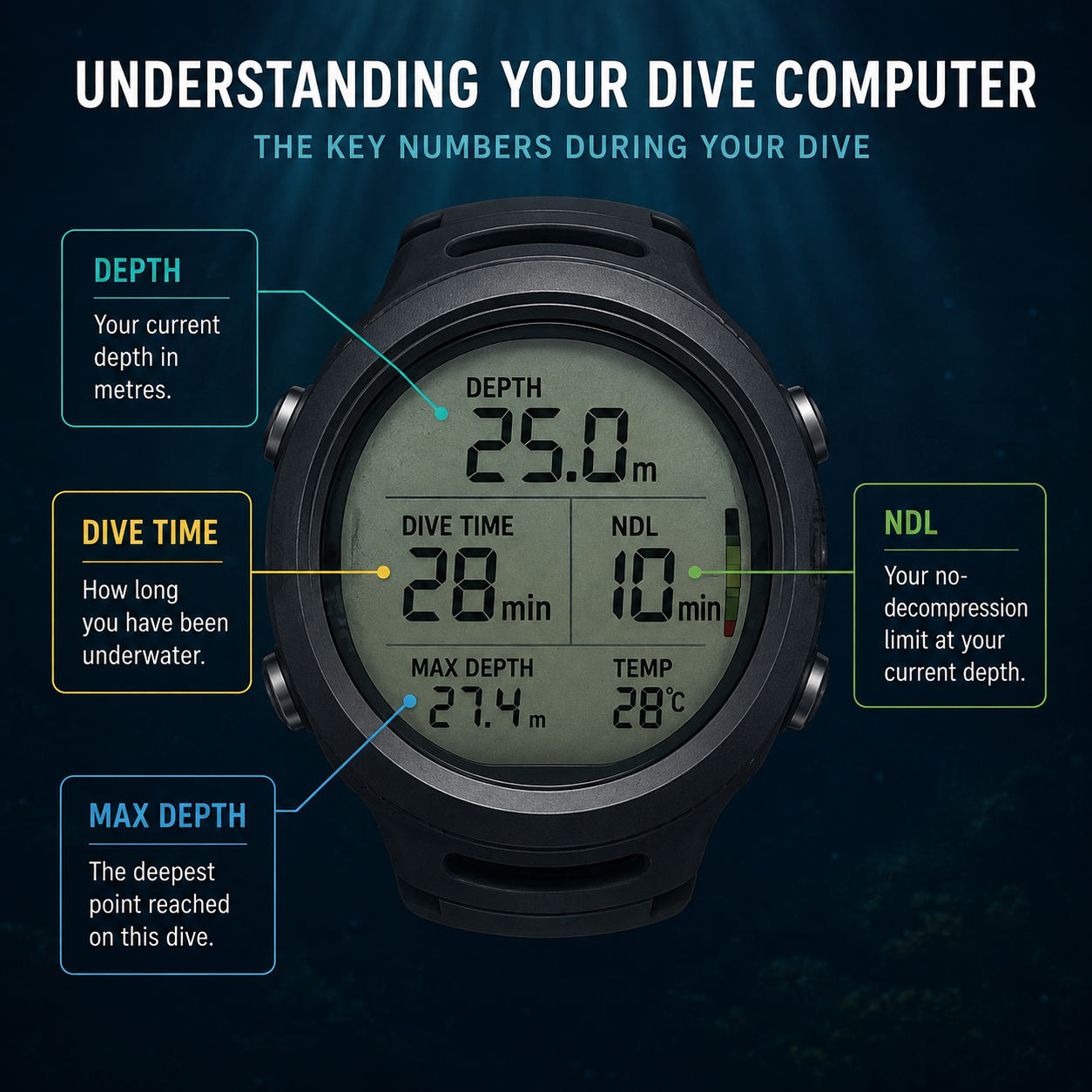
Depth: Where Are We?
Depth is probably the easiest number to understand, but it affects almost everything else your computer is calculating. As we descend, ambient pressure increases and our bodies absorb inert gas more quickly. Your available no-decompression time therefore decreases much faster at 30 metres than it does at 15 metres.
You can see this clearly on some of our deeper dives. At Koh Tachai, for example, we start by exploring a deeper area of the pinnacle before gradually working our way shallower.
If you’re watching your computer as we move, you’ll see your NDL (no decompression limit) respond to those changes in depth. That relationship between depth and NDL is something I’m constantly aware of underwater.
Dive Time: How Long Have We Been Diving?
Dive time sounds simple. It tells you how long you’ve been underwater. But I wouldn’t look at that number without considering depth.
Forty minutes spent mostly around 12 metres is very different from 40 minutes with a significant amount of time around 25 metres. If I’m 40 minutes into a dive, I’m not thinking, I’ve been underwater for 40 minutes, so I need to finish. I’m looking at the complete picture: our depth, my NDL, my gas and where we are in the dive.
Your computer allows you to see all of that information together.
NDL: What Does It Actually Mean?
Your no-decompression limit, or NDL, is probably the computer reading I see divers misunderstand most often.
The simplest way to think about it is this:
Your NDL is the estimated time you can remain at your current depth without creating a mandatory decompression obligation.
If my computer shows ten minutes of NDL at 25 metres, I don’t have ten minutes until I need to be on the surface. I could start moving shallower now and continue the dive.
As my depth changes, my computer recalculates. You’ll often see the NDL increase or decrease much more slowly once you move into shallower water. This is exactly how many of our dives in the Similan Islands naturally develop. We explore the deeper sections first and gradually work our way shallower.
I also never look at my NDL as a target I need to reach. For most dives, I recommend an absolute minimum of 10 minutes remaining NDL time as a conservative buffer…
Important Tip: Learn Where the Information Is on Your Computer
One thing you’ll notice when comparing dive computers is that the same information isn’t always displayed in the same place. Depth, NDL, dive time and ascent rate can appear differently depending on the brand, model and screen settings.
Some computers show almost everything on one screen. Others require you to scroll through different displays, and warnings can use different colours, sounds or vibrations.
Whenever I use a new dive computer, I make sure I know where the important information is before I get underwater. At minimum, you should be able to quickly find your current depth, dive time, NDL and ascent-rate information, and recognise your safety-stop display.
You don’t want to be at 25 metres trying to remember which button shows your NDL.
Your NDL Isn’t a Measurement of Your Body
This is the part I really want divers to understand. Your computer knows your dive profile. It doesn’t know you.
The decompression algorithm is an educated mathematical model. It estimates how inert gas is behaving within theoretical tissues based on your depth, time and other information.
It cannot measure the nitrogen actually dissolved in your body. It also doesn’t know exactly how hydrated you are, how well you slept or how tired you feel. In addition, it can’t fully account for how hard you’ve been swimming against a current or how your individual physiology responds. Even your own body isn’t exactly the same every day.
That is why I personally prefer to use my computer conservatively, especially during multi-dive days and liveaboard diving. Staying comfortably inside its NDL helps us manage decompression risk, but it cannot reduce that risk to zero.
I don’t see a remaining NDL of two minutes as permission to spend another two minutes at depth. I see the computer as giving me information to make a better decision.
You can read more about DCS and how I recommend to decrease your risk in our blog here.
Why Doesn’t Your Buddy Have the Same NDL?
You’ve probably had this happen before. You show your buddy your computer and you have six minutes of NDL. They show you theirs and somehow they have 15.
It doesn’t necessarily mean either computer is wrong. Maybe you were a few metres deeper for part of the dive. Perhaps you completed a different dive earlier that day. Your computers may also use different algorithms or conservatism settings.
During repetitive diving, these small differences can become more noticeable. If we’re diving together and your computer gives you the more conservative limit, follow your computer.
Your buddy’s NDL isn’t yours. This is also why we require each diver on board MV DiveRACE Class X to each have their own dive computer.
Why I Keep the Same Computer for Repetitive Dives
When I climb back onto MV DiveRACE Class X, my computer hasn’t forgotten about the dive we just completed. It tracks my surface interval and carries my previous dive profile into the calculations for the next one.
This becomes really important on a Similan Islands liveaboard, where we complete several dives in a single day. By dive three, my computer has followed every dive I’ve completed that day. It knows how deep I went and how long I spent at those depths.
If you change to another computer, that computer doesn’t automatically know what you did earlier. If my computer failed during a day of repetitive diving and I couldn’t accurately transfer the necessary information, I wouldn’t simply put on a fresh computer and continue as normal. Sometimes the conservative choice is missing a dive.
Why Nitrox Can Give You More NDL
If you’ve been on a liveaboard before, you’ve probably seen plenty of divers using Enriched Air Nitrox. I use it regularly for repetitive diving because, at suitable recreational depths, it can give us more no-decompression time.
Nitrox contains a higher percentage of oxygen and less nitrogen than standard air. Breathing less nitrogen changes the decompression calculation, which can extend your NDL. That can be particularly useful when we’re doing several dives each day in the Similan Islands.
You can also use Nitrox to add more conservativeness by leaving your dive computer set to diving with air.
But there is another limit you need to understand. More oxygen means your gas has a maximum operating depth, or MOD. Before diving, you need to analyse your cylinder and enter the correct oxygen percentage into your computer.
Your computer cannot look inside your tank and work out what you’re breathing.
If you’d like to understand Nitrox properly, you can complete the RAID Nitrox course on board MV DiveRACE Class X. Learn more here.
As We Start Coming Up: Ascent Rate and Safety Stops
Once we’re heading shallower, I start paying more attention to another part of my computer: ascent rate.
Most dive computers will warn you if you’re ascending too quickly. Depending on your model, you might see bars, colours or numbers, or receive an audible or vibration warning.
I pay particular attention during the final part of the ascent. The proportional pressure change becomes greater as we approach the surface, so there is no reason to rush those final metres.
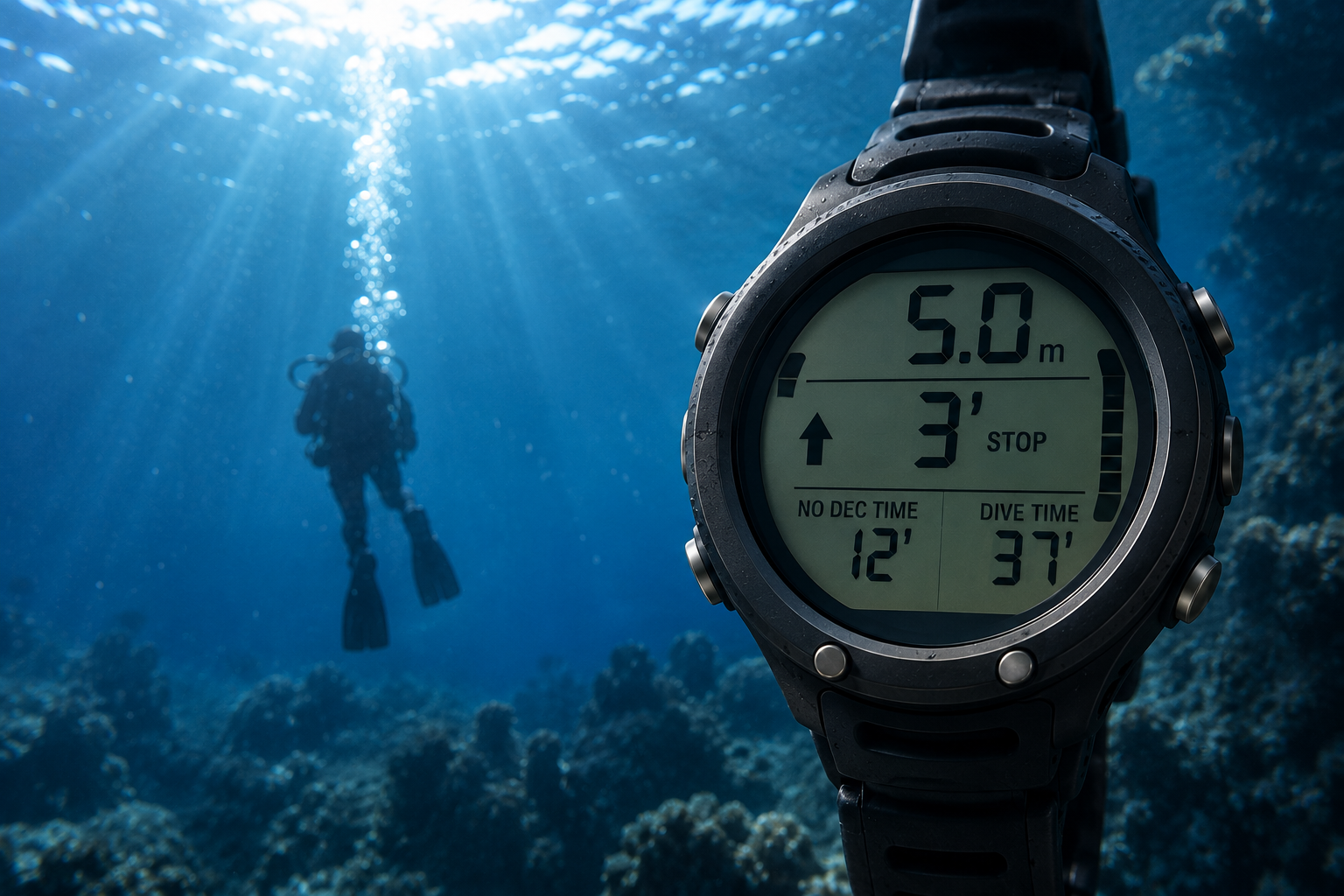
Then comes the part every diver recognises: the safety-stop countdown. For a typical recreational dive, your computer will usually activate this around five metres. A common safety stop is approximately three minutes, although computers and dive profiles vary.
I’ll use my computer to keep an eye on depth and follow the countdown before making a slow final ascent.
Remember that a safety stop isn’t the same as a mandatory decompression stop. If you exceed your NDL, your computer may calculate required decompression stops before surfacing. On our recreational dives at DiveRACE, we always plan to remain within no-decompression limits.
What Happens If You Exceed Your NDL?
For recreational diving, we plan to stay within our no-decompression limits. But sometimes things don’t go exactly to plan underwater, and I think every diver should understand what their computer is telling them if their NDL reaches zero.
If you remain at depth beyond your NDL, your computer may enter decompression mode. Instead of displaying your normal NDL, it will calculate a decompression obligation. Depending on the computer, you’ll usually see a required stop depth, stop time and your total time to surface.
At this point, don’t panic and don’t simply ascend straight to the surface. Begin a slow, controlled ascent while following the decompression information displayed on your own computer. Your required stop may change as you ascend, so keep monitoring the screen and remain within the indicated depth or ceiling until your computer clears the obligation. You also need to communicate the situation to your buddy and dive guide.
This is very different from your normal safety stop. A safety stop is an added precaution on a no-decompression dive, while a decompression stop is a required part of the ascent after exceeding your computer’s calculated NDL.
Planned decompression diving requires additional training, equipment, gas planning and procedures, and isn’t something we do accidentally just because a computer can calculate it. However, every recreational diver should recognise what their computer is showing if an unplanned decompression obligation occurs.
It’s another reason I prefer to react before my NDL reaches zero. If I see it getting low, moving shallower early is much easier than turning a recreational dive into an unplanned decompression dive.
And What About Everything Else on the Screen?
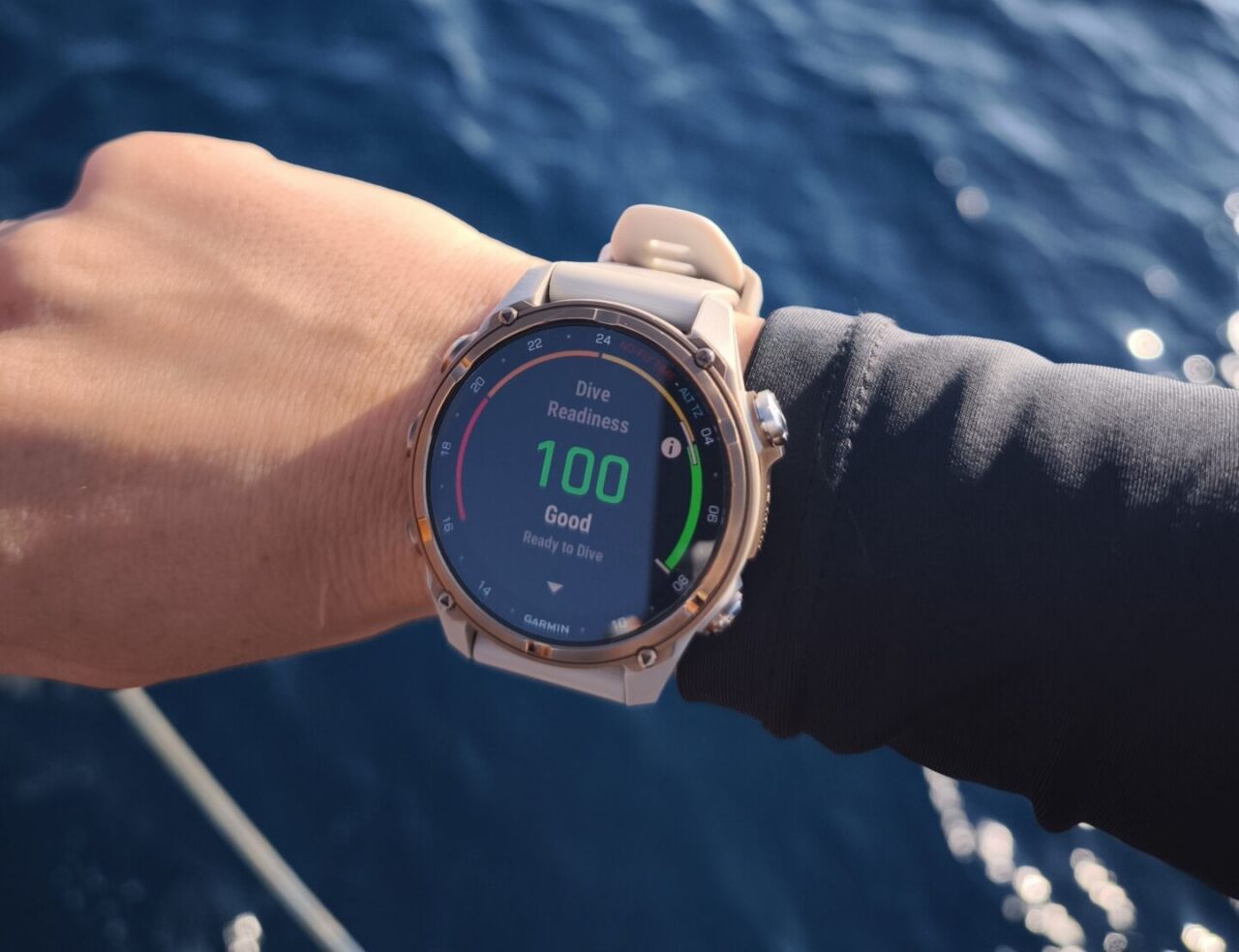
Modern dive computers can do a lot. Some connect to a transmitter on your regulator and display your cylinder pressure through air integration. Others include digital compasses, GPS, multiple gas mixes or heart-rate monitoring. You might also have adjustable conservatism, decompression planning, Bluetooth syncing, detailed dive logs, freediving modes or technical diving features.
I use and enjoy some of those additional features myself. But if you’ve just bought a new computer with more menus than you know what to do with, don’t let all of that distract you from the basics.
Know where to find your depth, dive time, NDL, ascent rate and safety-stop information first. Everything else can come afterwards.
Your Dive Computer Is Giving You Information, Not Permission
Dive computers have made the way we manage our dive profiles incredibly practical.
Instead of calculating every dive as a fixed profile using tables, the computer follows us through every depth change. It remembers our repetitive dives and continuously updates the information on our wrist.
But those very precise numbers can sometimes make the calculations feel more certain than they really are.
If my computer says I have seven minutes of NDL, that doesn’t mean my individual body has exactly seven safe minutes remaining. It means an algorithm has calculated that number from the information available to it.
That’s an important difference.
After thousands of dives, I trust my computer as an essential piece of diving equipment. But I also respect its limitations and leave myself a margin rather than trying to push every number.
For me, the value of a dive computer isn’t waiting for it to tell me I’ve reached a limit. It’s having the information to make better decisions long before I get there.
And there’s no better place to put that understanding into practice than across multiple days of diving. Join us on board MV DiveRACE Class X and explore the Similan Islands, Koh Bon, Koh Tachai and Richelieu Rock on your next liveaboard adventure. Book your trip here.
Related Articles
-

The Vanishing Wrecks of the South China Sea
Wrecks have a special pull on divers. They’re time capsules, artificial reefs,…
-
MV DiveRACE Class X
INTRODUCTION We are excited to present our latest liveaboard project – MV…
-
Improve your Buoyancy: A Comprehensive Guide – Part 1
A thorough understanding and practical application of buoyancy is crucial for safe…